

Popular Lulubox Alternatives | Compare Everyone Before Use
Lulubox Pro APK works well for most Android users but it does not work on every device or Android version. Some users face crashes, compatibility issues, or find that certain features do not work as expected after an update. If Lulubox is not working properly on your device, there are several other apps that offer similar features like free skins, unlimited coins, game plugins, and performance tools.
This guide covers the best Lulubox alternatives available for Android, what each one offers, and which one suits your needs.
Why Gamers Look for Lulubox Alternatives
Lulubox Pro works well on most Android devices but several common issues push users to look for other options.
Compatibility Problems
Lulubox does not fully support newer Android versions. Users running Android 12, 13, or 14 often experience sudden crashes or find that the app closes without warning. Devices with 64-bit processors also face issues where certain features simply do not work.
Game Related Issues
Some users find that Lulubox does not work properly with certain titles. Common complaints include the app not working in Carrom Pool, lagging during Free Fire Max sessions, or losing connection in competitive games like PUBG Mobile and Call of Duty Mobile.
App Errors After Updates
After a new update Lulubox sometimes breaks features that were working before. Plugin errors, login failures, and loading issues are the most reported problems following an update. These issues often appear without any warning and are hard to predict.
No iOS Support
Lulubox is only available for Android. Users on iPhone or iPad have no official version to use which makes them look for cross platform alternatives that work on both Android and iOS.
Top 8 Best Lulubox Pro APK Alternatives
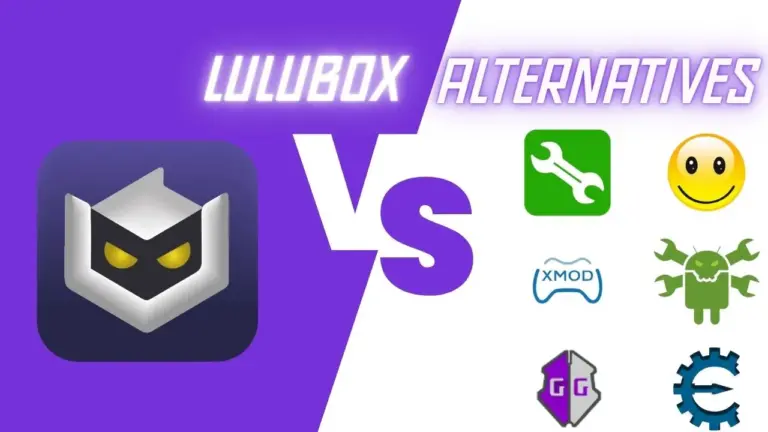
These are the most reliable and actively updated alternatives to Lulubox Pro. Each one offers similar features like skin unlocking, game modification, or performance tools for Android devices.
Lucky Patcher
Lucky Patcher is one of the most well known alternatives to Lulubox Pro. It lets you patch APK files, remove ads from games and apps, unlock hidden features, and manage in-app purchases. It works on most Android devices without root access and gets regular updates for new game support.
Game Guardian
Game Guardian is a powerful game modification tool for Android. It lets you edit in-game values like coins, gems, health, and speed directly from a floating menu during gameplay. It works best on rooted devices but some features are available without root as well. It supports a wide range of games including Free Fire, PUBG Mobile, and Mobile Legends.
SB Game Hacker
SB Game Hacker is a lightweight tool that lets you quickly edit in-game values like coins, points, and resources. It has a simple interface and works on most Android devices without complicated setup. It is a good option for users who want basic game tweaks without advanced features.
CreeHack
CreeHack bypasses in-app purchase restrictions in Android games, letting you unlock coins, gems, and premium features for free. It works on both rooted and non-rooted devices and is easy to use for beginners. It works best on Android 10 and below and may have limited compatibility on newer Android versions.
Game Tuner
Game Tuner is a performance focused tool developed by Samsung. Instead of unlocking paid features it lets you control resolution, FPS settings, and background resource usage to improve game performance. It is a good option for users who want smoother gameplay without using modding tools. It works best on Samsung devices but is compatible with most Android phones.
X8 Sandbox
X8 Sandbox creates a safe virtual environment on your device where you can run mods and game modifications without affecting your main account or system. It is a good option for users who want to test features safely without risking a ban. It works on most Android devices without root access.
Cheat Engine
Cheat Engine was originally built for PC but has an Android version that lets you modify in-game values, resources, and hidden mechanics. It works across different game genres including shooters, strategy, and racing games. It requires some technical knowledge to use but is one of the most flexible modding tools available.
Macro Sensi Max
Macro Sensi Max is a performance tool focused on improving aim and control in mobile games. It lets you adjust sensitivity settings, create macros, and fine tune controls for smoother gameplay. It is popular among competitive players who want precise performance in games like Free Fire and PUBG Mobile.
How Game Modding Tools Work
Most game modding tools work in one of these ways. Understanding the method helps you pick the right tool and use it safely.
APK Patching
These tools modify the original game APK file before installation. They change the game code directly to unlock features like premium skins, unlimited coins, or ad removal. Lucky Patcher and CreeHack use this method. This approach works well but some games detect patched files and may flag your account.
Memory Editing
These tools run alongside the game and edit values stored in your device memory during gameplay. They can change coins, health, speed, and other in-game values in real time. Game Guardian and Cheat Engine use this method. It requires more technical knowledge but works on a wider range of games.
Virtual Environment
These tools create a separate space on your device where the game runs in an isolated environment. Mods are applied inside this space without touching the original game files. X8 Sandbox uses this method. It is the safest approach because it reduces the risk of account bans and device issues.
Plugin System
These tools work as a plugin manager that connects to supported games and activates features through a built in menu. Lulubox Pro uses this method. The floating icon appears during gameplay and lets you activate features with a single tap.
Performance Optimization
Some tools do not modify game files at all. Instead they manage device resources, FPS settings, and background processes to improve game performance. Game Tuner uses this method. It is the safest option because no game files are changed.
Pros & Cons
Pros
Cons
Final Words
Always download from a trusted and known source before trying any alternative. Test each app on one game first and use a secondary account to protect your main progress.